
TCX Files and Why you should use them.
If you're relying solely on a GPX file for your routes, you're leaving one of the most useful tools on the table. Last year we quietly played around with the extra power of TCX files, some of you tested it out for us and the feedback was great.
We've embedded custom cues directly into the TCX files for each route — and downloading that file to your GPS device could make a real difference in how your ride unfolds. We are going to do our best to sign the course (EVEN AT THE OKEY DOKEY THIS YEAR!) and mark the segment starts and ends, but as usual, things can happen to the signage.
The TCX file includes custom waypoints that flag every aid station along the course, so your device will alert you before you arrive - especially if the sign is missing or got forgotten.
Beyond aid stations, we've also embedded the start and end points of every timed segment directly into the file. When you're in the middle of a hard effort, the last thing you want is to be fumbling with your cue sheet trying to figure out if the clock has started yet. With the TCX loaded, your device will prompt you ahead of AND at each boundary — so you know exactly when to push and when you can back off.
Loading a TCX file is straightforward on most popular GPS devices and cycling apps. Whether you're running a Garmin, Wahoo, or using an app like Komoot or RideWithGPS, the process typically takes just a few minutes before the ride. We'll have step-by-step instructions linked alongside each route file, so you won't be left guessing.
Do yourself a favor and take the five minutes to get it set up. The course is challenging enough — let the technology handle the navigation details while you focus on the ride.
To find the TCX file, go to the Opelika Web Page and click on the distance you plan to ride, you will be redirected to the RideWithGPS page for that route.
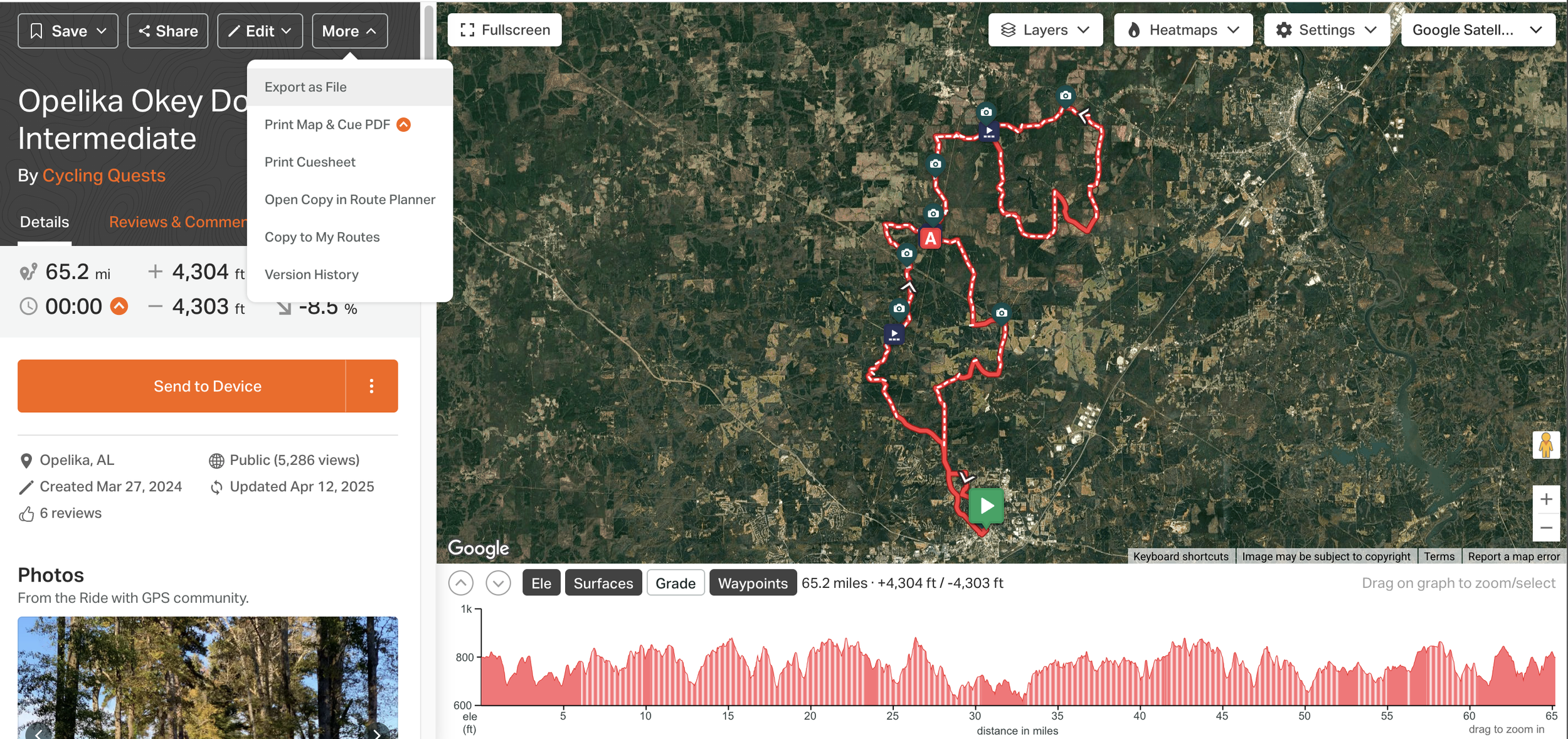
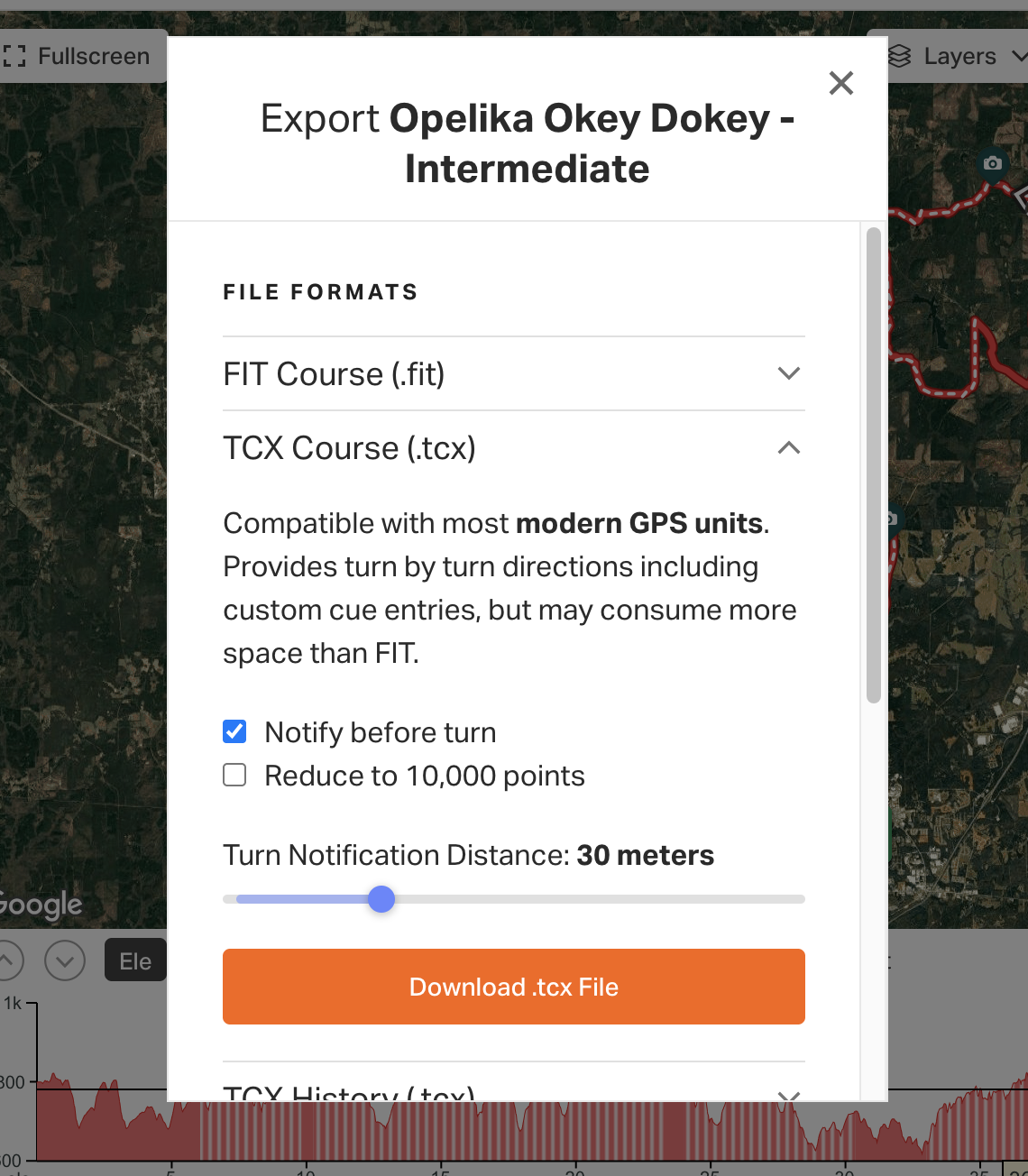
Once on the RideWithGPS page for your chosen distance, either click/tap the three dots next to the send to device button, or use the more dropdown featured in the first image above and click/tap 'export as file.'
It will automatically be on the .fit option, so you'll have to select the next option down which is 'TCX Course', from here you can download the file and adjust when you'd like your turn notifications. It will automatically be set at 30 meters, personally I like to crank that up to 50, but that's just me.
The Okey Dokey Is Coming — Where Are You Sleeping?
More than half of you travel to a Gravel Roll and spend at least one night in our host cities. half the fun of a gravel event is the 36 hours around the ride itself. The cramble because you forgot your AXS battery, the questionable breakfast choices, too many beers at the number pickup. But none of that happens if you don't have a bed.
We've done the legwork so you don't have to. Head over to the
We've pulled together lodging options for every budget and vibe — whether you want a hotel bed, an Airbnb with a bike room, or a campsite close enough to roll to the start line. Check out the full lodging embed for everything you need to plan your stay on the Okey Dokey event page if it doesn’t display below.
Pro tip: don't wait. Last year's good spots were gone faster than a chicken nugget at the feed zone.